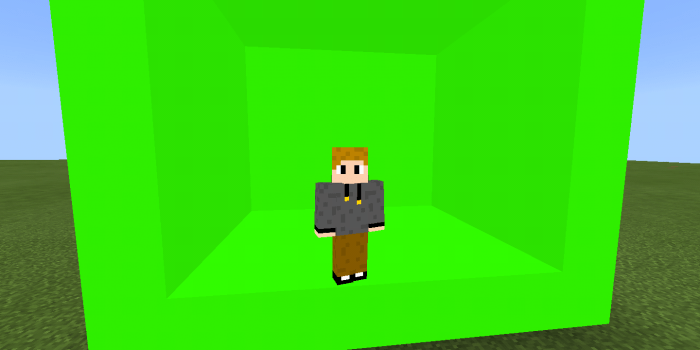
This is a texture pack for Minecraft PE that contains green screen. Green screen is very useful for effects and for more. People who like editing videos know that if someone use green screen then he / she can fill it with an image, a video, a background, or with anything else.
I used the glowstone’s texture to create a light green block. You also can use it in dark place because it’s light.
g
Installation
1. Click the link ( Green Screen.mcpack ).
2. A Mediafire site will show up. Download the pack from there.
According to sources, WhatsApp, the Facebook-owned messaging application has over 1.5 billion users in over 180 countries. The average user checks WhatsA more than 23 times per day. And, the number of WhatsApp users in USA is predicted to grow to 25.6 million by 2021.
Given all the chatter, the potential for online scams, rumors and fake news is huge. Threat actors have an additional weapon in their arsenal to leverage the messaging platform for their malicious intentions.
Towards the end of 2018, Check Point Research notified WhatsApp about new vulnerabilities in the popular messaging application that would enable threat actors to intercept and manipulate messages sent in both private and group conversations, giving attackers the power to create and spread misinformation from what appear to be trusted sources.
The Check Point Research team observed three possible methods of attack exploiting this vulnerability – all of which involve social engineering tactics to fool end-users. A threat actor may:
Use the ‘quote’ feature in a group conversation to change the identity of the sender, even if that person is not a member of the group.
Alter the text of someone else’s reply, essentially putting words in their mouth.
Send a private message to another group participant that is disguised as a public message for all, so when the targeted individual responds, it is visible to everyone in the conversation.
WhatsApp fixed the 3rd vulnerability which enabled threat actors to send a private message to another group participant disguised as a public message for all. But, we found that it is still possible to manipulate quoted messages and spread misinformation from what appear to be trusted sources.
Following the process of Responsible Disclosure, Check Point Research informed WhatsApp of its findings. From Check Point Research’s perspective, we believe these vulnerabilities to be of the utmost importance and require attention.
To demonstrate the severity of this vulnerability in WhatsApp, we created a tool that allows us to decrypt WhatsApp communication and spoof the messages.
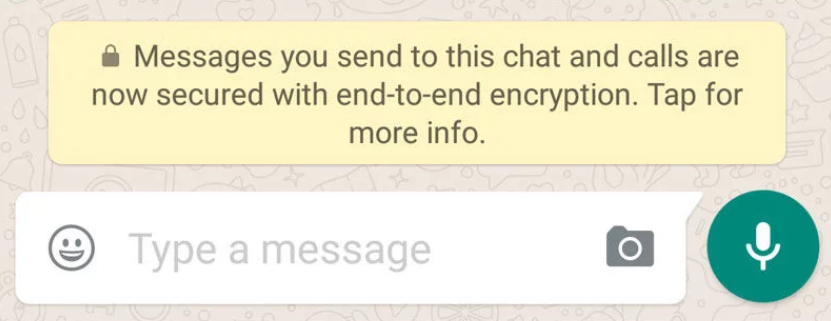
As is well-known, WhatsApp encrypts every message, picture, call, video or any other type of content you send so that only the recipient can see it. WhatsApp does not have the ability to view these messages.
Figure 1: WhatsApp Encrypted Chat
These encryption processes caught our attention, and we decided to try to reverse the WhatsApp’s algorithm to decrypt the data. Indeed, after decrypting the WhatsApp communication, we found that WhatsApp is using the “protobuf2 protocol” to do so.
By converting this protobuf2 data to Json we were able to see the actual parameters that are sent and manipulate them in order to check WhatsApp’s security.
The outcome of our research is a Burp Suit Extension and 3 Manipulation methods (the 3rd one was fixed our we disclosure the vulnerability to WhatsApp)
To start the manipulation, though, we first have to get the private and public key of our session and fill it in our burpsuit extension.
If you are interested in a detailed explanation about how the encryption actually works behind the scenes, please read the technical details from our blog at 2018:
The keys can be obtained from the key generation phase from WhatsApp Web before the QR code is generated:
Figure 2: Public and Private Key of the Communication
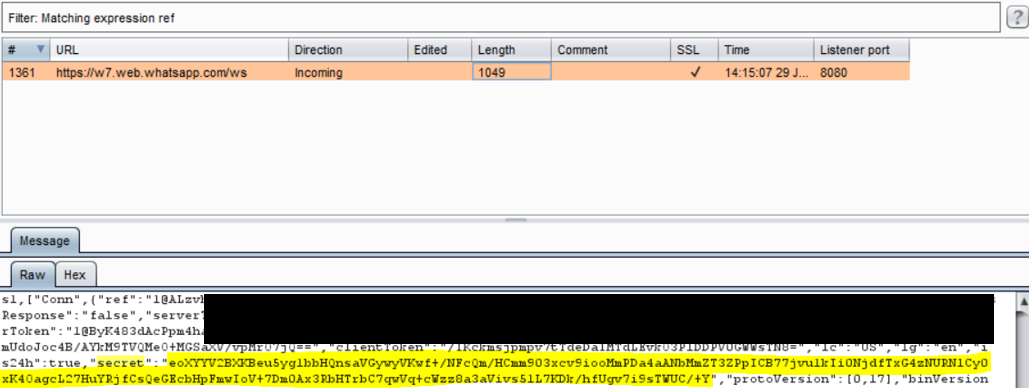
After we take these keys, we need to take the “secret” parameter which is sent by the mobile phone to WhatsApp Web while the user scans the QR code:
Figure 3: The Secret Key from the WebSocket
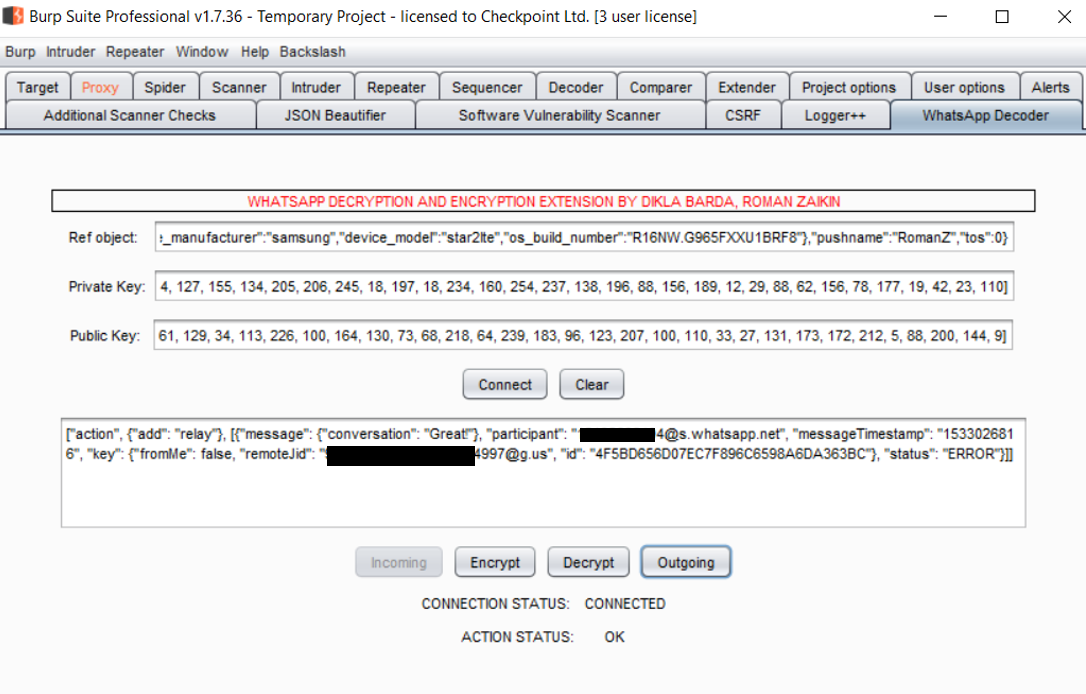
As a result of this, our extension will look like the below:
Figure 4: WhatsApp Decoder Burp Extension
After clicking on “Connect”, the extension connects to the extension’s local server, which performs all the tasks required for the extension.
Manipulating WhatsApp
By decrypting the WhatsApp communication, we were able to see all the parameters that are actually sent between the mobile version of WhatsApp and the Web version. This enabled us to then manipulate them and start looking for security issues.
This resulted in us to carry out a variety of attack types described below:
Attack 1: Change the Identity of a Sender in a Group Chat, Even If They Are Not a Member of the Group
In this attack, it is possible to spoof a reply message to impersonate another group member and even a non-existing group member, for example, ‘Mickey Mouse’.
To impersonate someone from the group, all the attacker need do is catch the encrypted traffic:
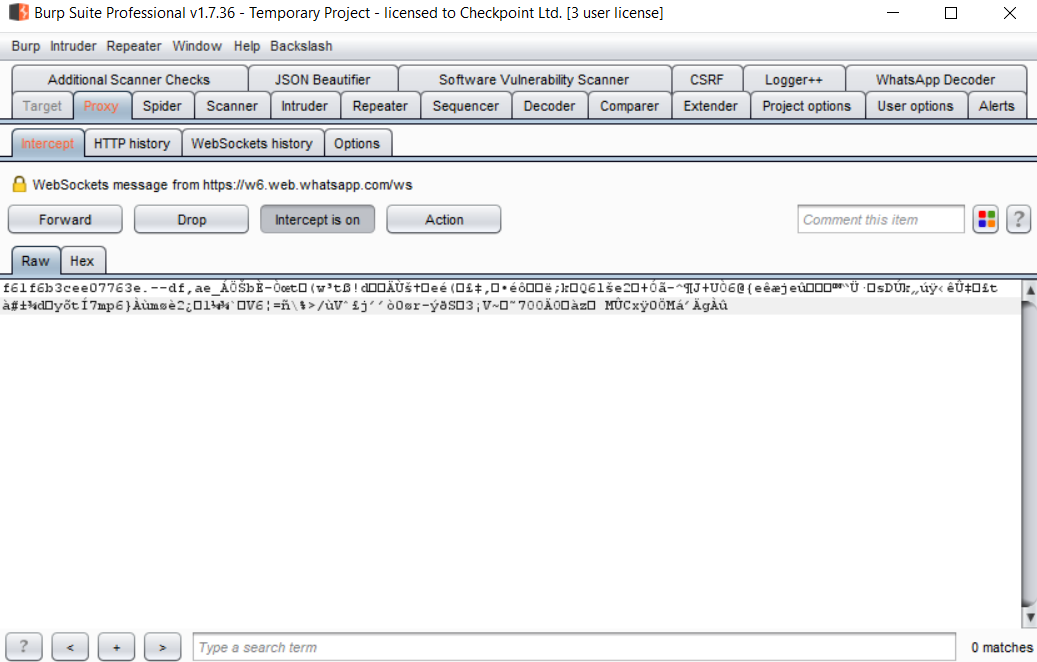
Figure 5: Encrypted WhatsApp Communication
Once the traffic is captured, he can simply send it to an extension which will then decrypt the traffic:
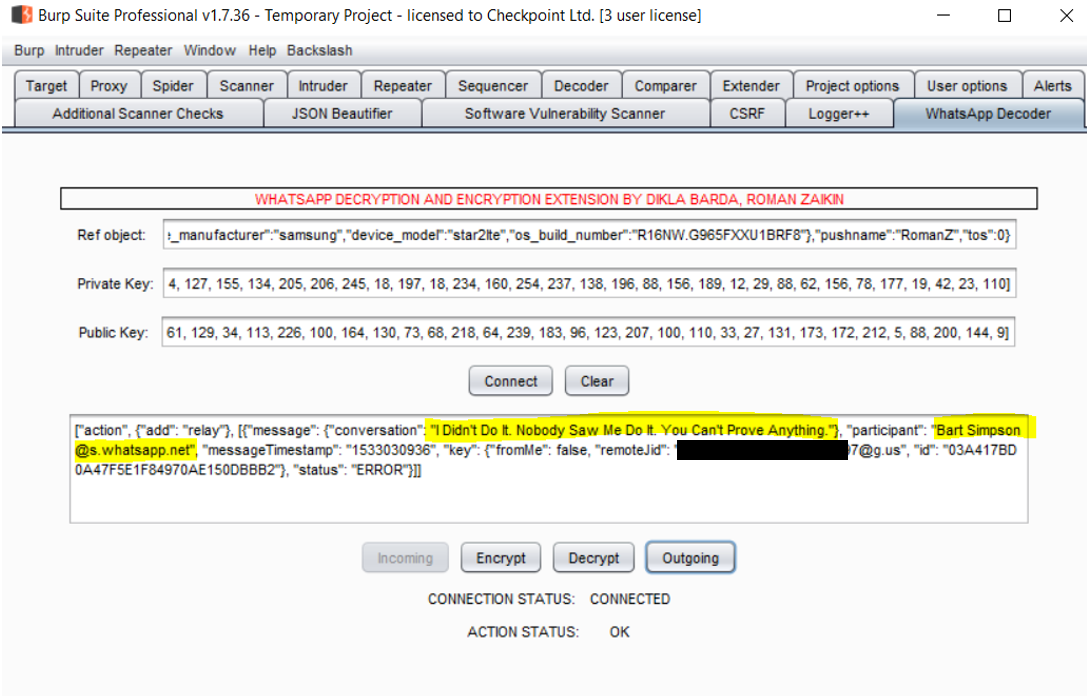
Figure 6: Decrypting the WhatsApp Message
By Using Our Extension
The interesting parameters to note here are:
conversation – This is the actual content which is sent.
participant – This is the participant that actually sent the content.
fromMe – This parameter indicates if I sent the data or someone else in the group did.
remoteJid – This parameter indicates to which group/contact the data is sent.
id – The id of the data. The same id will appear in phone databases.
And this is the point where interesting things begin to happen…
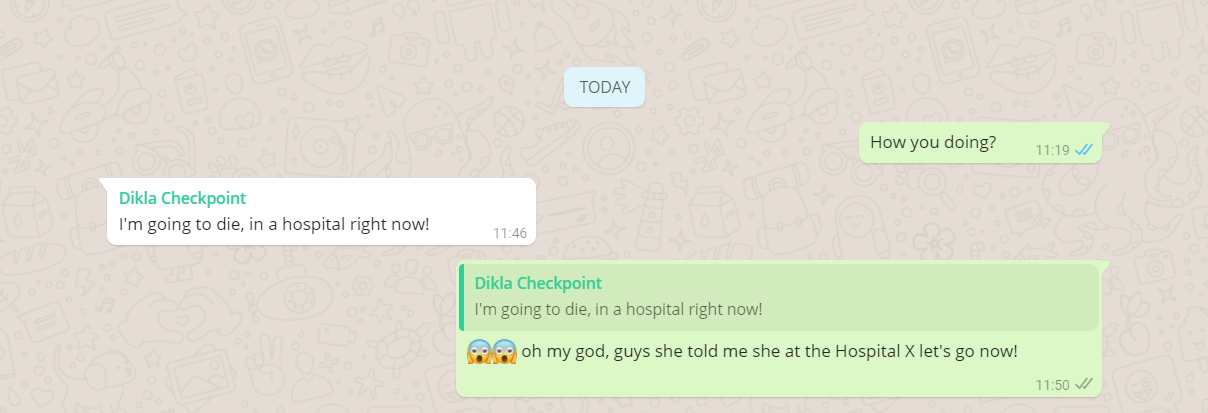
For example, we can change the conversation to something else. The message with the content “Great!” sent by a member of a group, for instance, could be changed to something else like: “I’m going to die in a hospital right now” and the participant parameter could also be changed to someone else from the group:
Figure 7: A Spoofed Reply Message
Note that we have to change the id to something else because it is already sent and appears in the database.
In order to make everyone see the new spoofed message the attacker needs to reply to the message he spoofed, quoting and changing that message (“Great”) in order for it be sent to everyone in the group.
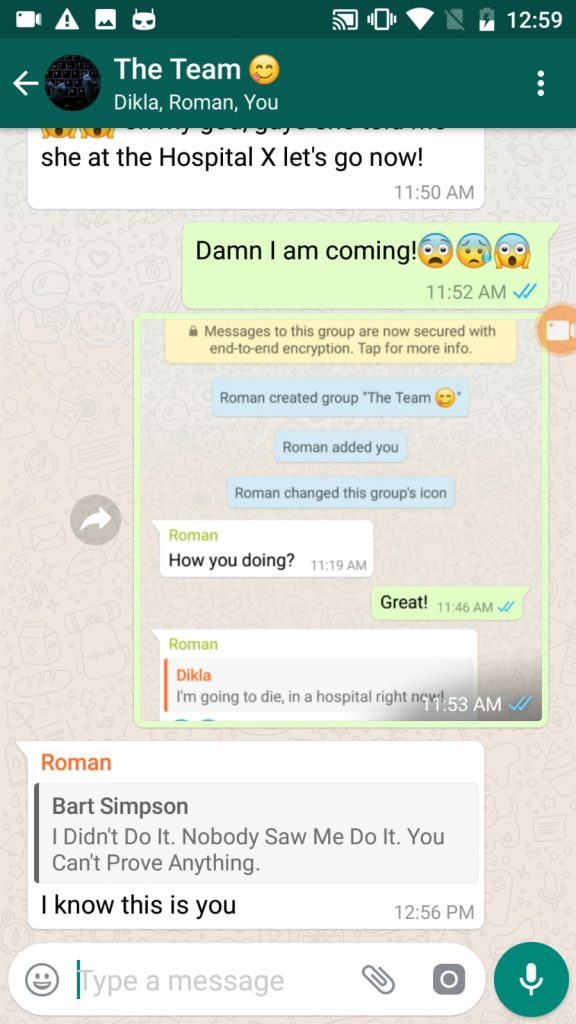
As you can see in the below screenshot, we created a new group where no previous messages were sent, and by using the method from above we were able to create a fake reply.
Figure 8: The Original Conversation
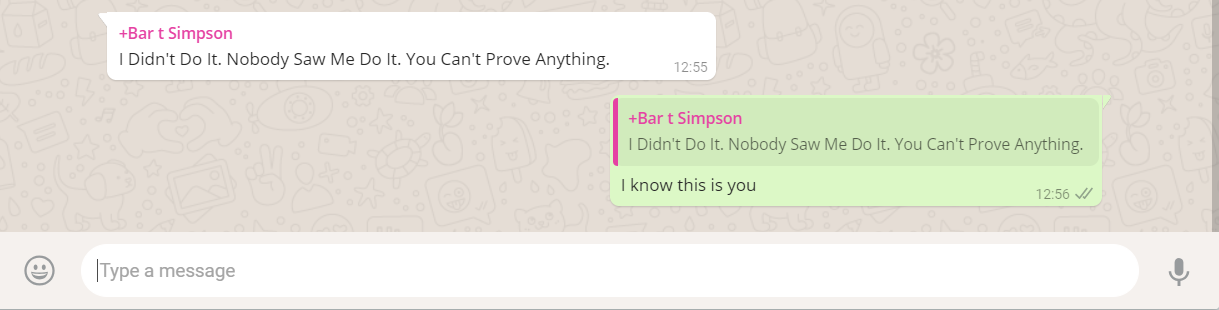
The ‘participant’ parameter can also be a text or a phone number of someone that is not in the group, which would cause everyone in the group to believe that it is actually sent from this participant.
For example:
Figure 9: Changing The Content Of The Message
By Using Our Debugging Tool
…and the result will look like this:
This would again be sent to everyone in the group as before.
Figure 10: Reply To a Message That Sent From
Someone Outside of the Group
Attack 2: Changing a Correspondent’s Reply To Put Words in Their Mouth
In this attack, the attacker is able to manipulate the chat by sending a message back to himself on behalf of the other person, as if it had come from them. By doing so, it would be possible to incriminate a person, or close a fraudulent deal, for example.
In order to spoof the messages, we have to manipulate the ‘fromMe’ parameter in the message, which indicates who sent the message in the personal chat.
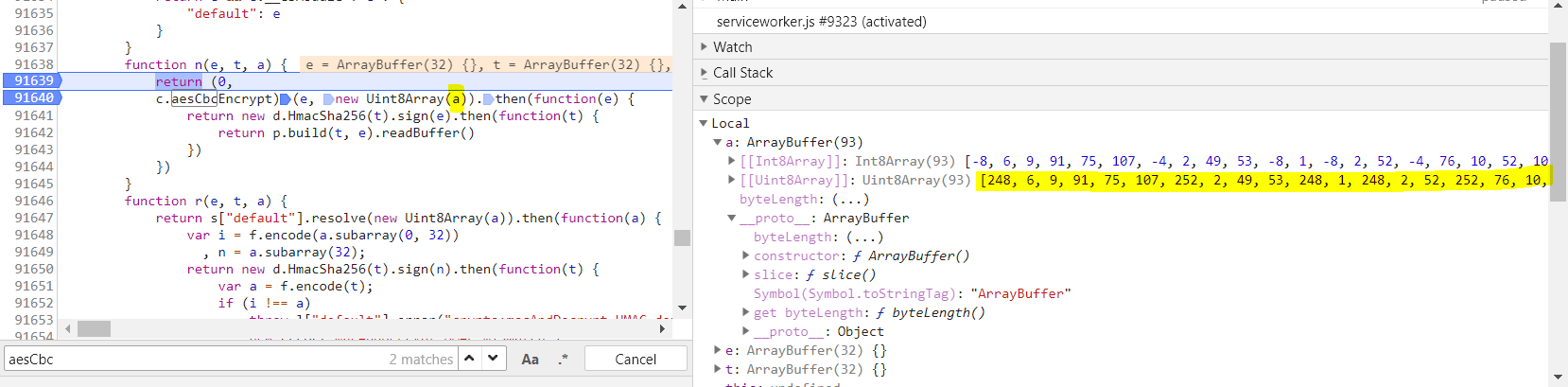
This time we will capture the outgoing message from WhatsApp Web before it is even sent to our Burp Suite. In order to do that, we can put a break point on the aesCbcEncrypt function and take the data from the ‘a’ parameter:
Figure 11: OutGoing Message Manipulation
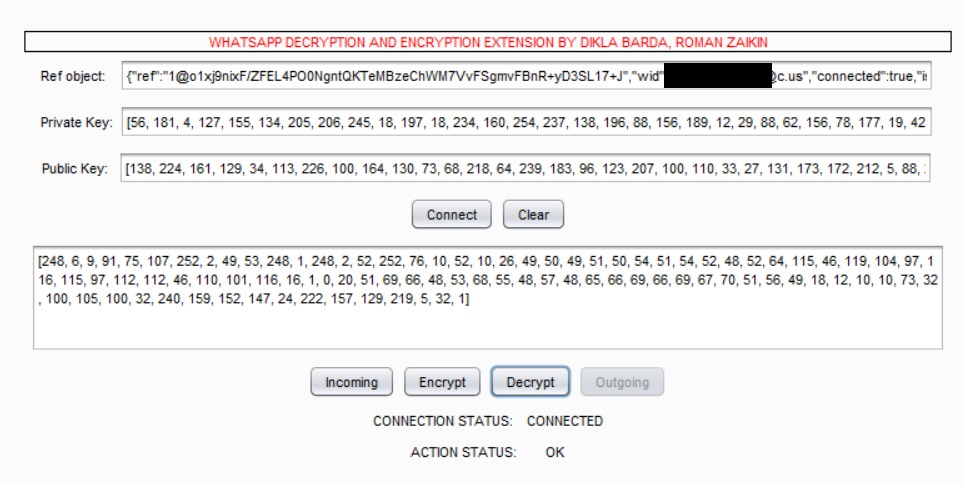
We will then copy this data to our Burp extension and select the outgoing direction. By pressing on “Decrypt”, our extension will decrypt the data:
Figure 12: Decryption of Outgoing Message
After changing it to false and encrypting it back we then get the below result:
Figure 13: Encryption of Outgoing Message
We have to then modify the ‘a’ parameter in our browser, and the result will be a push notification with the content. In this way, it is even possible to spoof the entire chat.
Figure 14: Sending Messages To Myself
on Behalf of Someone Else.
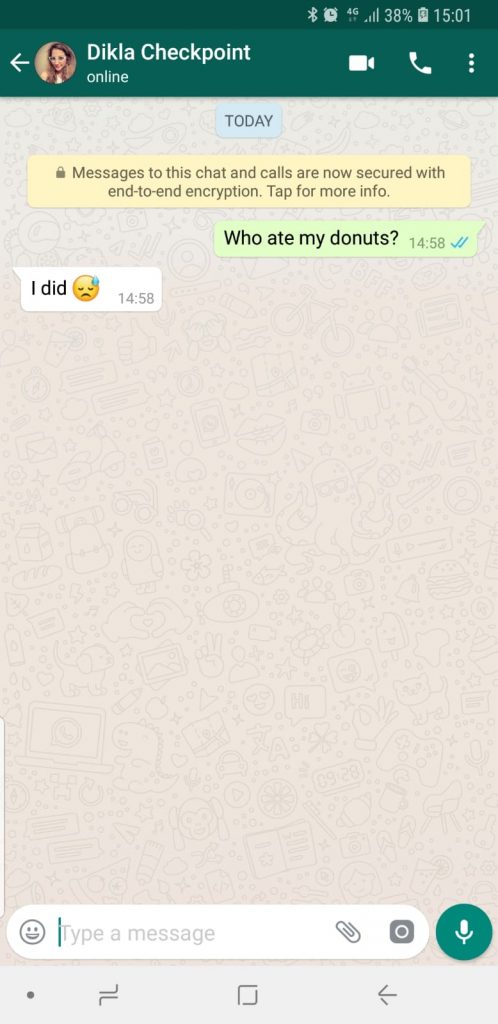
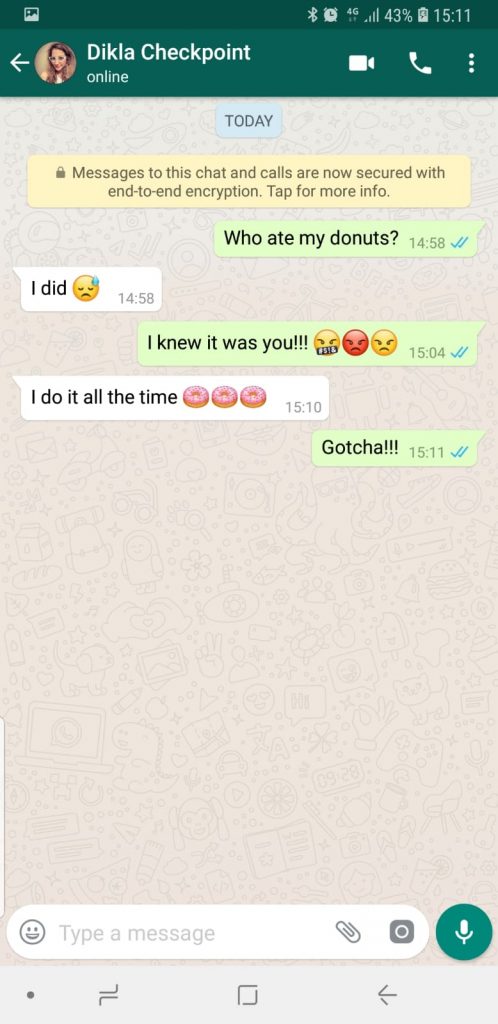
The whole conversation will then look like this:
Figure 15: Sending Messages To Myself
on Behalf of Someone Else
DJI definitely seems to be keeping busy – less than a month ago the Chinese manufacturer debuted the lightweight Ronin-SC gimbal for mirrorless cameras, which was followed closely by the release of its new FPV Goggles.
According to a 15-second video posted on its official YouTube channel, DJI is gearing up to announce something new on August 13.
The teaser itself doesn’t seem to hold any clues as to what might be making its debut next week, but based on some other evidence, it could well be the next generation Osmo Mobile smartphone gimbal.
DroneDJ was the first to unearth details about the Osmo Mobile 3, thanks to a public FCC filing made on July 31.
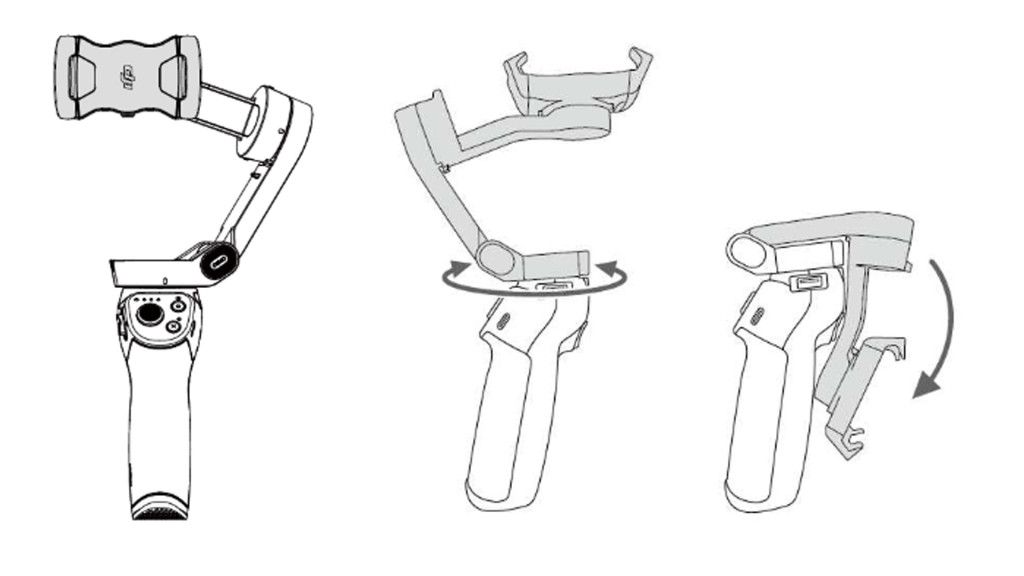
Amongst the paperwork filed is the user manual for the upcoming gimbal, giving us a clear idea as to what to expect. The Osmo Mobile 3 will be larger than its predecessor, with dimensions of 286 x 126 x 98mm and weighing in at 405g. However, the phone grip will fold down to rest alongside the handle for easy storage.
It also looks like the new gimbal will be able to fit bigger and wider phones (perhaps even the newly announced Samsung Galaxy Note 10 series). It will be armed with Bluetooth Low Energy 5 to optimize power consumption and, unlike the Osmo Mobile 2, will charge via USB-C.
Droning on and on
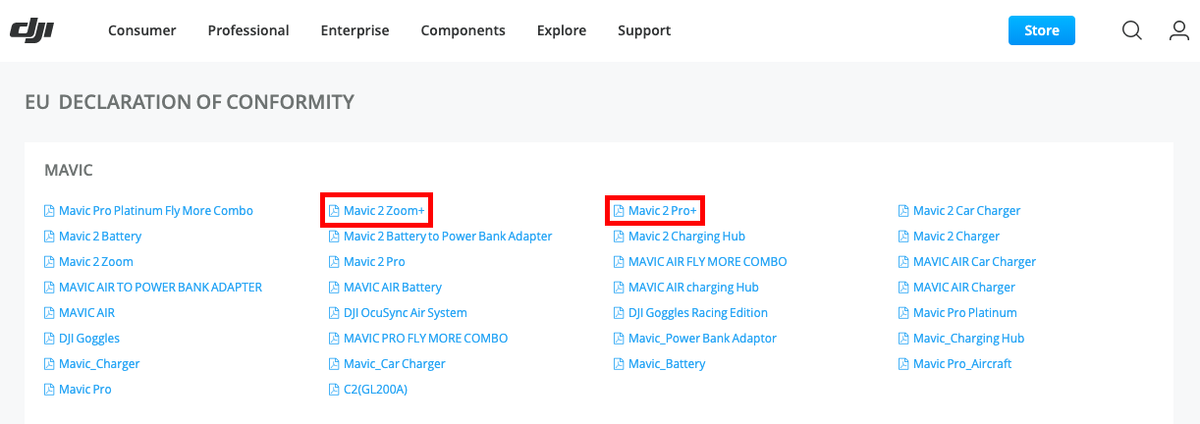
If you’re expecting DJI to announce new drones, you may need to wait a while. An eagle-eyed Norwegain reader pointed out to DroneDJ that a special section on the DJI website lists the paperwork for the European Union Declaration of Conformity – including those for the DJI Mavic 2 Pro+ and the DJI Mavic 2 Zoom+.
We’re not expecting the possible new drones to make an appearance until 2020 as DJI recently announced it will be implementing aircraft sensors in its consumer drones starting January 2020. These ADS-B sensors will allow the drone pilot to detect and avoid low-flying helicopters and airplanes nearby.
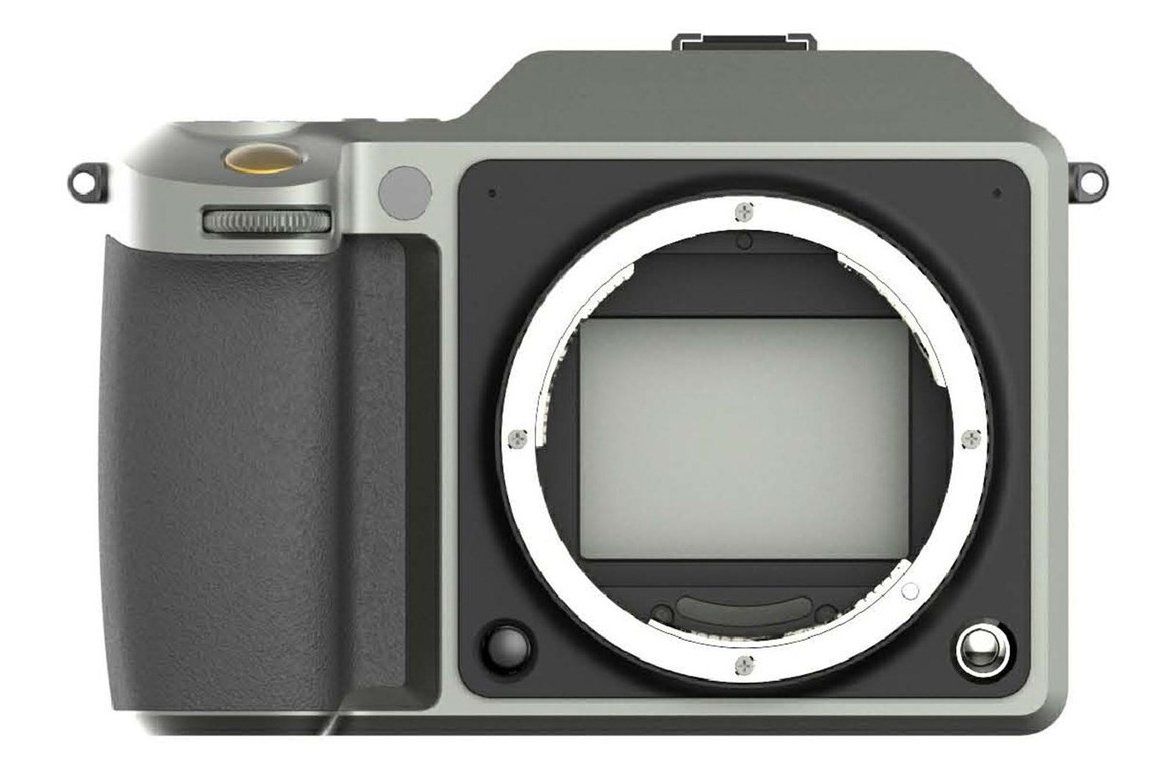
DJI has also filed a patent for an interchangeable lens camera that looks very similar to the Hasselblad X1D-50c. A deep dive into the patent application by Gizmodo Japan has unearthed design images and 3D models of the camera from various angles, giving us a complete look at what could be DJI’s first mirrorless camera, including the markings on the rear controls.green
Stabilised Remote Head family, the brand new ARRI DEH-1. This system will allow professional operators to remote control the ARRI SRH-3. The DEH-1 is based on Cartoni technology and will work in conjunction with flat base supports or tripods with Mitchell base, produced by the Australian manufacturer for camera support equipment Miller.
ARRI DEH-1: An addition to the stabilised remote head family
The DEH-1 is also a world-first in terms of its way of information transfer and interoperability since it makes use of the LBUS protocol as the first digital encoder head ever. LBUS has been introduced by cmotion at IBC 2012 and it has ever since spread widely among ARRI products.
The idea is to send various control information from a single port to several devices (such as cforce mini RF, WCU-4, cinefade, AMC-1, and others). At the same time, these devices are daisy-chained and still only react to a distinct signal, that reflects their particular function and meanwhile discard/bypass information, that is useless for them. These could be engines designated for zoom, focus or other functionalities or properties of attached devices. In this case, it is for example intended to use them with a flexible drag system within the head to perform tilt and pan with the SRH-3 stabilised remote head. The latter usually comes with a joystick control board.
The DEH-1 system makes use of a Cartoni patented fluid drag system for tilt and pan directions, which incorporates seven steps to adjust the smoothness of its functions. This system has been redesigned to fit specs by ARRI. It will thereby help operators to use the product in multiple environments such as for broadcast, high-end commercials, tv or feature film productions and documentary projects alike. The ARRI DEH-1 will come in both configurations for left- or right-handed operators.
ARRI made sure to offer an easy way to set up the encoder head in conjunction with their Master Grips (for focus and zoom functionality) as well as the OCU-1 (released last year at IBC 2018 in Amsterdam). Connected to the OCU-1 with just a convenient single LBUS cable solution, it helps camera operators to seize adequate control over focus, zoom, and iris (return/override). This control functionality is ensured with a simple button solution on the OCU-1 while offering tilt and pan movement directly with the DEH-1.
ARRI ARH-3 + AMIRA: Stabilised remote head setup
In addition to that, the DEH-1 also works interconnected with the SRH-3 yet via only one LBUS cable. This connectivity possibly means that all options, motors and parameter values from OCU-1, the DEH-1 and the Master Grips will be entirely compliant with and controllable from the SRH-3 remote control touch panel. The DEH-1 will thus trouble-freely and reliably integrate into the ARRI eco-system, enabling the user to control everything with just a single tool centrally.
ARRI SRH-3 Control Panel with Touchscreen Interface
The first sales and dispatch of the ARRI DEH-1have just started on the 1st of August and will probably reach customers soon.
What are your initial thoughts about the new ARRI DEH-1? Let us know in the comments underneath the article.


 g
g